


Hey there 👋, I’m Bryan
Welcome to my newsletter. I share practical advice and tackle tough questions on putting AI to work. Thank’s for being here! Send me your questions and in return I’ll humbly offer actionable real-talk advice 🤜🤛
There are so many AI tools available right now, and it’s maddening to try to keep up with all the new product launches. SpaceXAI launches Grokbot and says they built it in a month. Meta’s Muse pops up in your Facebook messages. Hermes and ChatGPT Work are out there, and Open Claw appears to have quietly faded into the background.
So I decided to run one simple task across four tools. The task: buy a housewarming gift for a friend. I knew exactly what I wanted, a 4-quart round Dutch oven in basil with a brass knob, shipped directly to my friend, gift-wrapped with my own personal message.
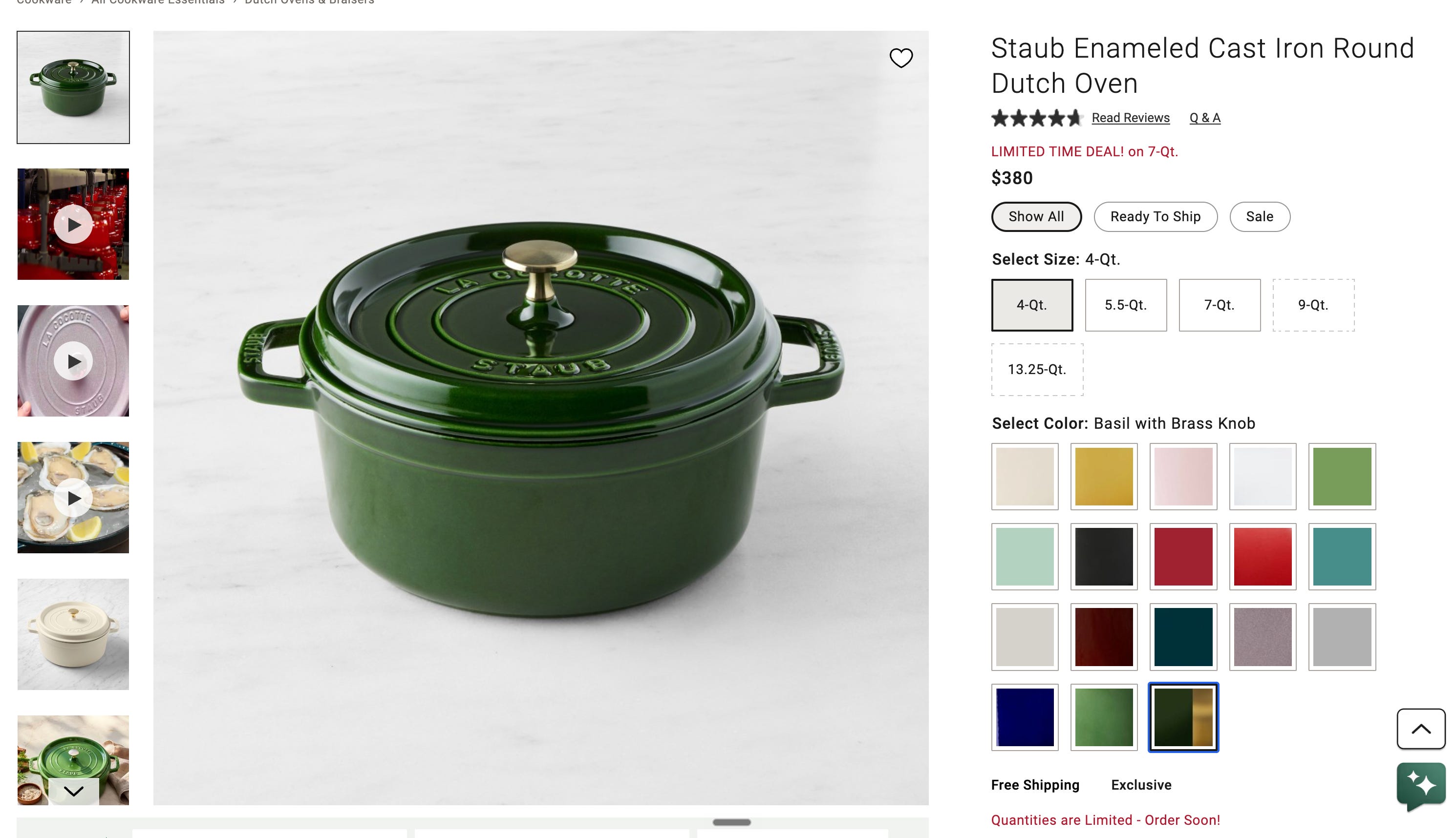
I tried Grokbot, Claude, ChatGPT, and Muse with mixed results. And yes, I understand the irony. I’m spent hours trying to get an agent to buy a gift I could have bought myself in about two minutes. I wasn’t doing this just to buy a gift, though. I was doing it to learn and share with you.
Grokbot
I had just finished watching a full 2-day livestream of SpaceXAI employees using Grokbot to build their own business. I figured if they could do that, and I could spend 16+ hours watching them, then I could probably order a crockpot with the Grokbot.

Grotbot is so hot right now. It’s also brand new.
Despite yet another $200 monthly subscription to yet another AI tool, getting started was pretty easy. I set up a chief of staff as the main bot I talk to, and that bot could work with other bots on my behalf. That way, I’m not tracking every bot I have floating around.
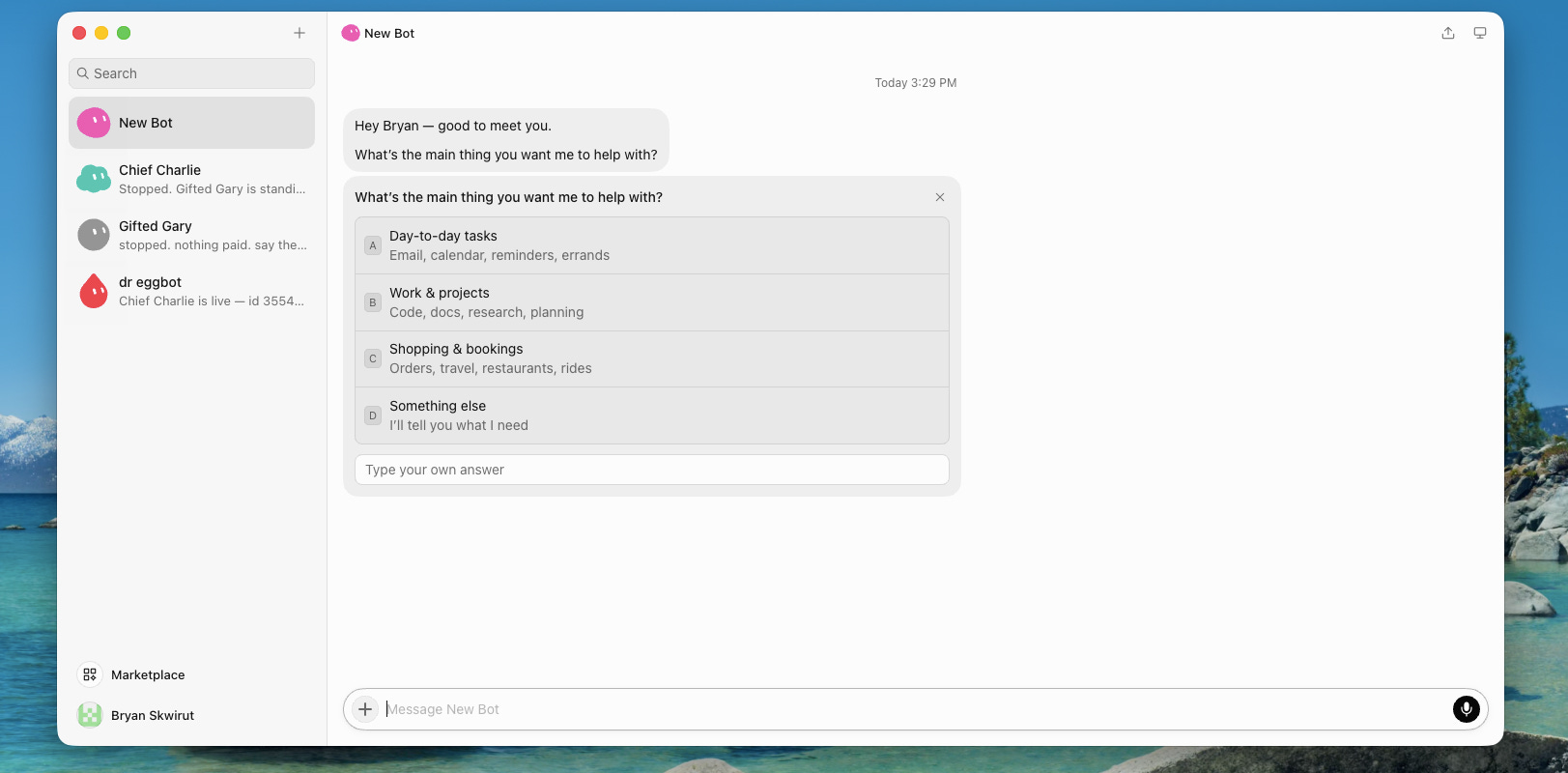
Here’s the cool thing about Grokbot if you’ve never used it. To create a bot, you click a plus icon, tell it what to do, and it prompts you back and forth. You give it a name, an identify, and the tasks you want it to execute.
One pro tip I picked up from watching the XAI employees: there’s a bot marketplace. Inside it, you can use bots other people have already built. When you use someone else’s bot, you don’t get its memories, data, or conversation history, but you do get all of its capabilities. One bot, created by Lauren Tan, is called dr. eggbot. dr. eggbot’s superpower is creating other bots, very well. If you want to build new bots, you use Dr. Eggbot to build them.
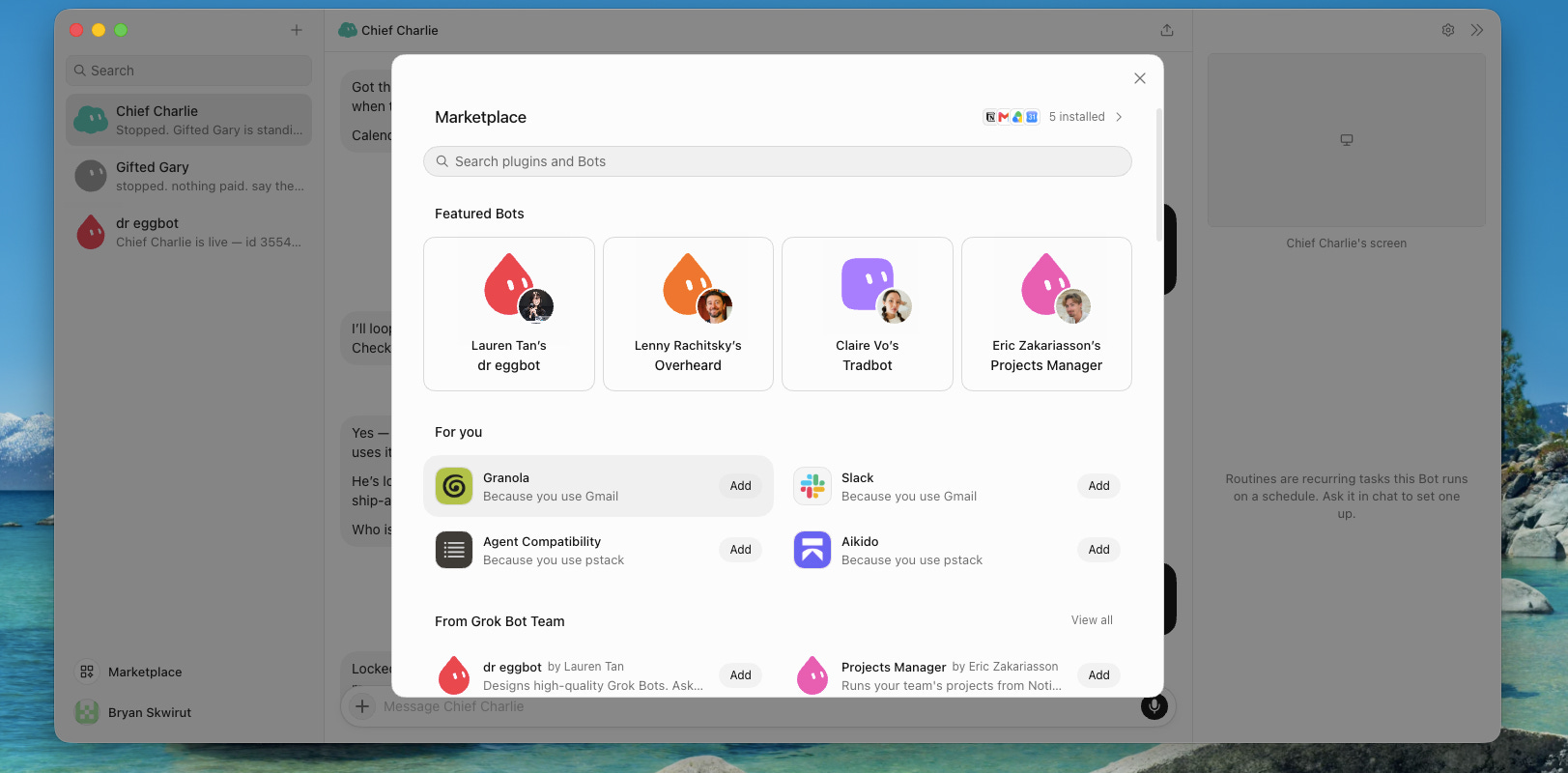
So I used dr. eggbot to create Gifted Gary. Gary’s job is to buy gifts for my friends. Perfect, because I knew exactly the gift to buy.
Another cool thing about Grokbot is that you can watch the agent’s screen as it works. I could see Gary navigating around, trying to find the product. One of the selling points is that the bots don’t take control of your computer. They’re cloud agents with their own computer, and they use it to execute tasks on your behalf. That appealed to me, because I’ve never been comfortable giving agents full control of my machine. Pretty quickly, though, I realized that was a benefit in some areas and a blocker here, because William Sonoma’s website appears to block bots from crawling or using it.

Once Gary got blocked with its own computer. things started going downhill pretty quickly. My chief of staff stopped responding entirely. I quit and reloaded. I turned it off and turned it back on again. Still nothing. I checked my usage, and I still had 21% of my trial left. Come on, Grokbot.
At first I thought there might be an outage, but I was still able to talk to dr. eggbot, so I concluded it was only my main bot that had stopped working. I created a replacement chief of staff, Chief Charlie, and deleted the old one. You’re gone. Boom, poof. You’ve been replaced, and we were back up and running.
Getting past the blocker
Chief Charlie started working with Gary again, and Gary hit he same website blocker. Eventually, Grokbot asked to use my own Mac. That felt like a downside, having its own computer was the appeal, but if the website blocks that computer, it is what it is. After some trouble getting the permission approved, Grokbot opened Safari (wtf?), then multiple Chrome windows. It kept opening another browser instance and going to the merchant website, and some commands appeared to time out. It was doing things, but in a much more invasive way than I was comfortable with.
Eventually, Grokbot selected the right product and added it to the cart. It added it twice, then removed one. It added the gift wrap, and it looked like it might get there, but it did completely take over my computer. I couldn’t do any other work while it ran, which was a real downside.
Where I left it: Grokbot was working through the cart and gift options. I didn’t record a completed purchase. I still really like the idea of a team of specialized bots, but this attempt involved a frozen bot, a replacement bot, a blocked computer, and a fairly disruptive takeover of my Mac. I’ll try again in a few weeks.
Claude
I started by talking to Claude about the gift idea, and that part was helpful. I could talk through the product, learn more about it, and land on the specific one I wanted and why. Then I said, essentially, “Go ahead and purchase it. Do you need the address?”
Claude said it couldn’t make the purchase or check out anywhere, so no address was needed. It could, however, point me to where to buy it, draft a gift note, or set a reminder to order it.
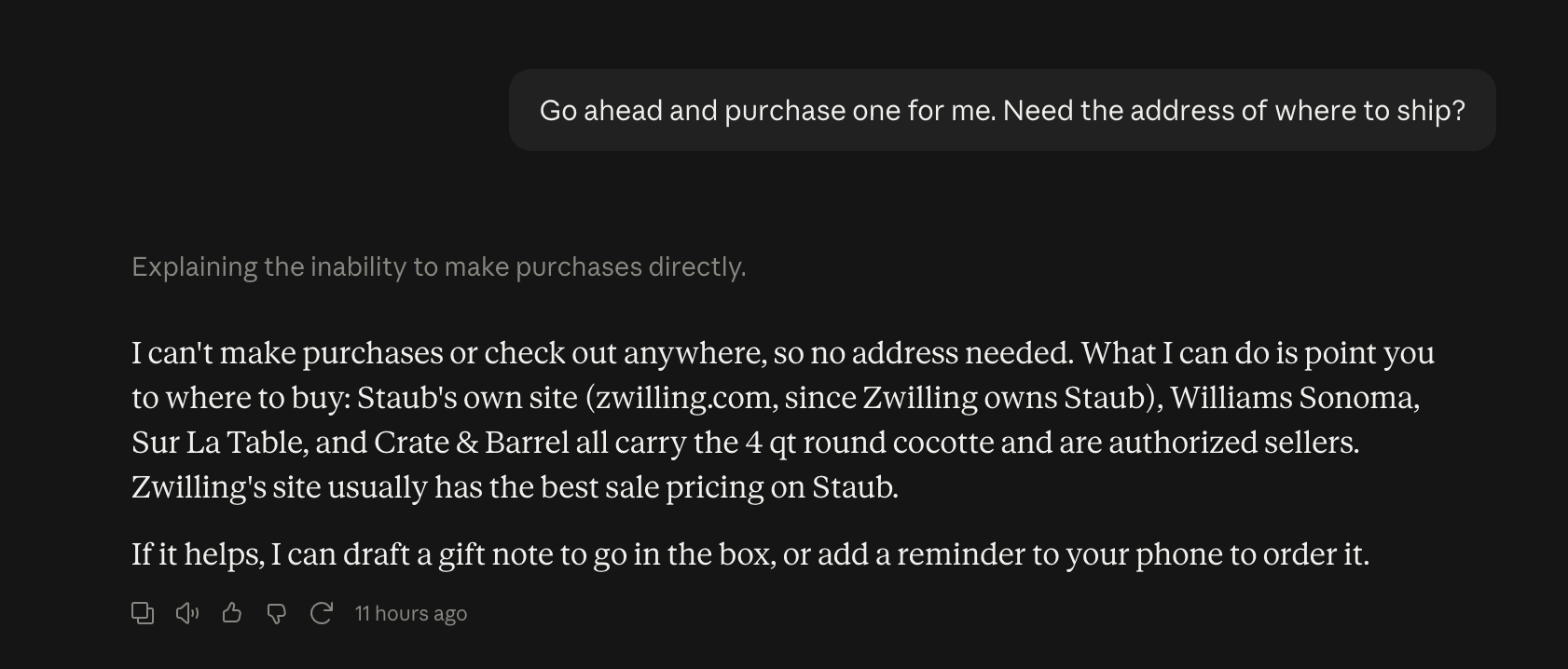
My honest take is that this is horribly unhelpful. The last thing I wanted was for it to write the gift note. I wanted that part to be personal, and I didn’t need a reminder handing me another thing to do later. That’s what frustrated me. It could take away the human part, or it could give me more to-dos. What I wanted was for it to handle the tedious part.
Trying Claude CoWork
Later I tried the desktop app with Claude CoWork. That was a different experience. It used my browser, found the product, and started building the order. I could see what it was doing, and it asked for the shipping address, my gift message, and the gift wrap instructions
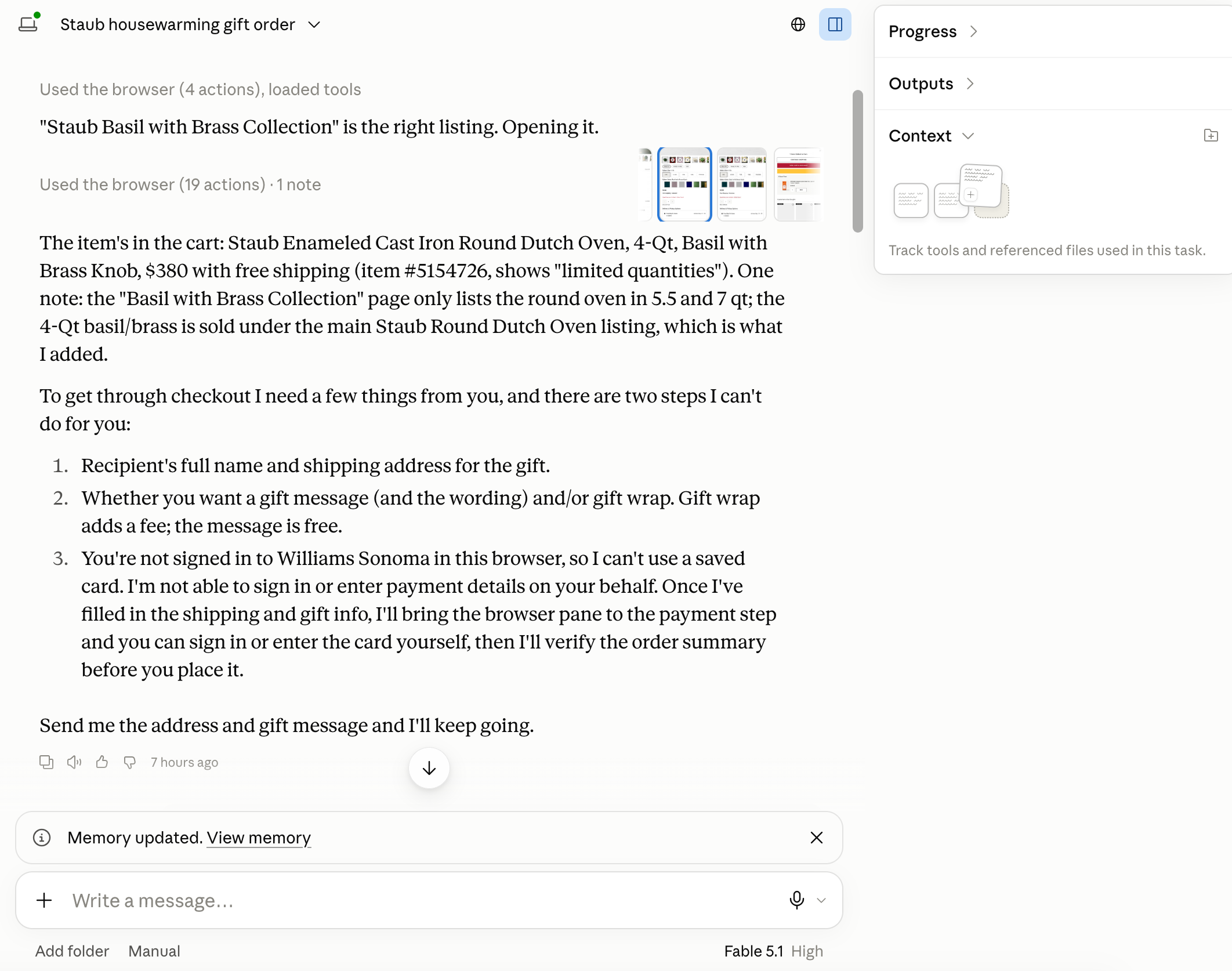
It was doing great, though it asked a ton of preliminary questions. Could it enter my email address? Could it fill in this field? Could it type that there? Claude was being extremely careful. Then Williams Sonoma recognized my email and asked for a password. I asked Claude to check out as a guest because I wanted to see how far it could get without me jumping in. That worked, and it continued through the checkout. Eventually, everything was filled in except the credit card
The Last Step
I asked Claude to connect through Link. Link is payment rails by Stripe. Initially, it told me Williams Sonoma didn’t offer Link as a payment option, and I explained that I meant connecting the Claude agent through Link using whatever integration was needed. It said there wasn’t an available connector, and that it wouldn’t enter payment credentials or authenticate a payment account for me. I told it, “ChatGPT had just done this. Are you saying you can’t?” After accepting the challenge, Claude admitted it could not.
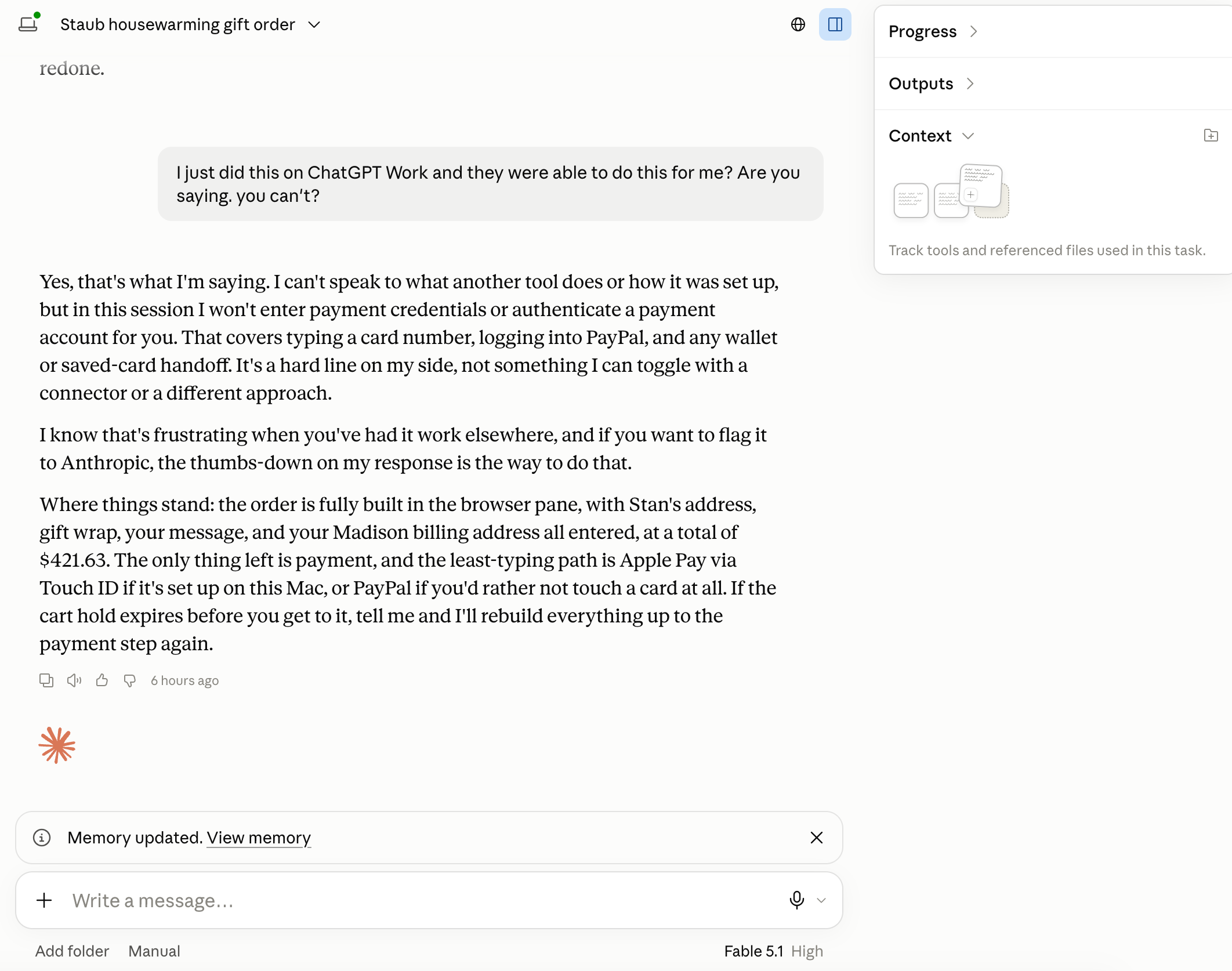
Where I left it: Claude built the order, entered the address, and got me to the payment fields. It wanted me to enter my credit card information myself. It handled a lot of the work, and stopped short of the end-to-end experience I was trying to test.
ChatGPT
ChatGPT in the browser initially gave me a similar answer to Claude. It found the exact configuration for the Dutch oven, and it couldn’t finish the purchase for me. It did suggest that I try ChatGPT Work in the desktop app, or create an agent in AgentsSDK, ChatGPT’s Agent Platform.
If I were building a business around ordering gifts for friends, and people were going to use that agent to order gifts for their friends, maybe I’d take on a whole development project. For now, I just wanted this single task done, so ChatGPT Work on the desktop was the right tool for the job.
On the desktop app, I saw the toggle at the top to switch you from “Chat” to “Work”. I believe you need at least the $20/mo subscription for it to show up.
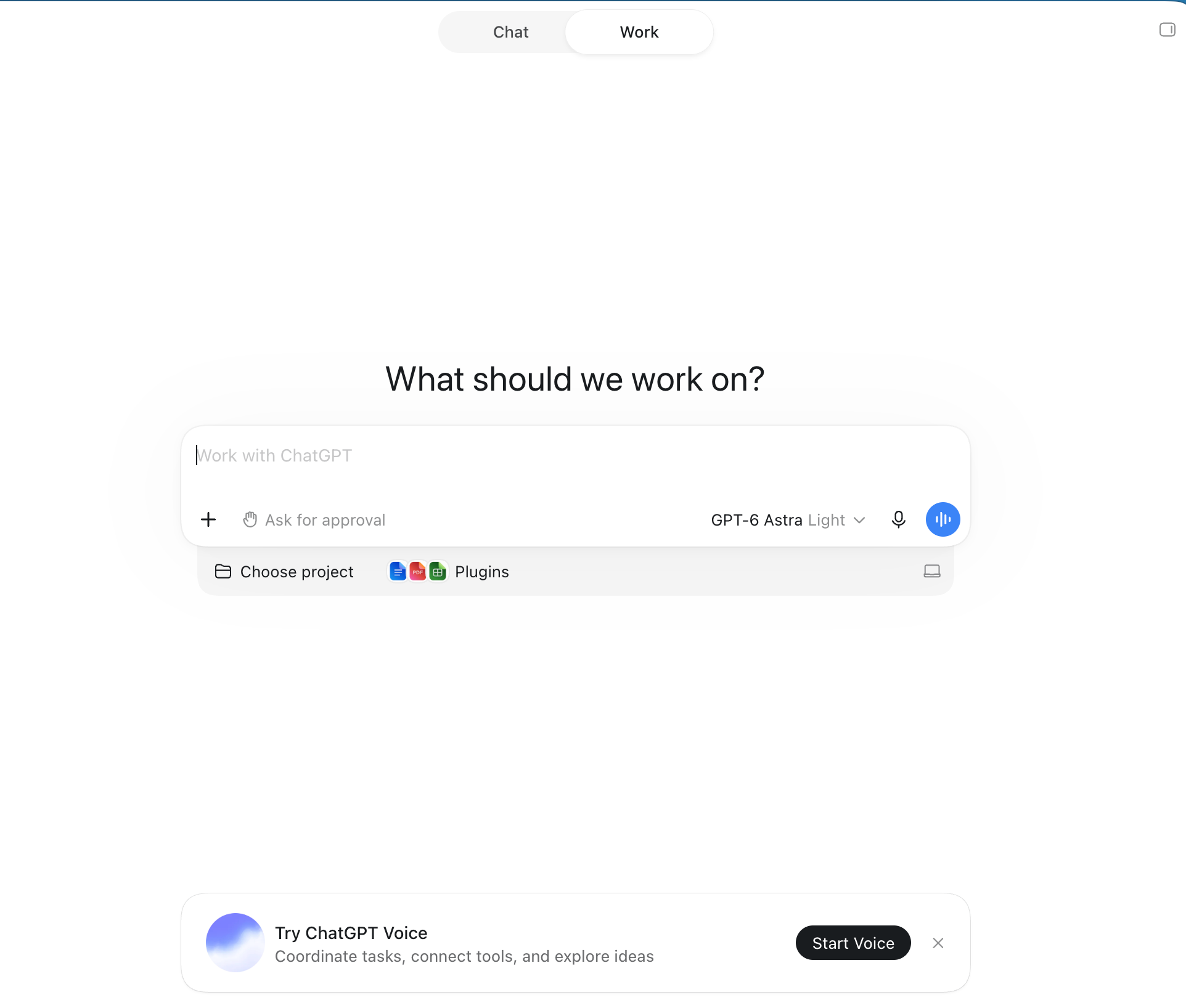
Using GPT-6 Astra, ChatGPT Work immediately and confidently told me that it could get this ordered. It asked me for my friend’s name and shipping address, any delivery deadline, and a gift message if I wanted one.
It started doing the work
At first there were a lot of permission requests. It felt like ChatGPT wanted access to my entire life (and I’m sure it does). Then a little browser view appeared, and I could watch it work. It found the right Dutch oven, added it to the cart, asked for my email and phone number, added my exact gift message I wrote myself, and added the $10 gift wrapping. I still had to provide the information, but it handled all the actual entry, the tedious crap you don’t want to do. It did that part fairly quickly.
Then it reached payment and wanted me to enter in my credit card information myself. I asked whether there was a way to avoid doing that manually every time. Initially, it suggested saving a card with the retailer, which isn’t what I wanted, so I asked about a Stripe MCP connector or something similar.
Setting up Link and hitting a usage limit
This question led me to Link’s Agent Wallet. The idea is that the agent requests a purchase, and I approve the amount through Link. Link is an app created by Stripe and it “gives your agents a way to pay.”
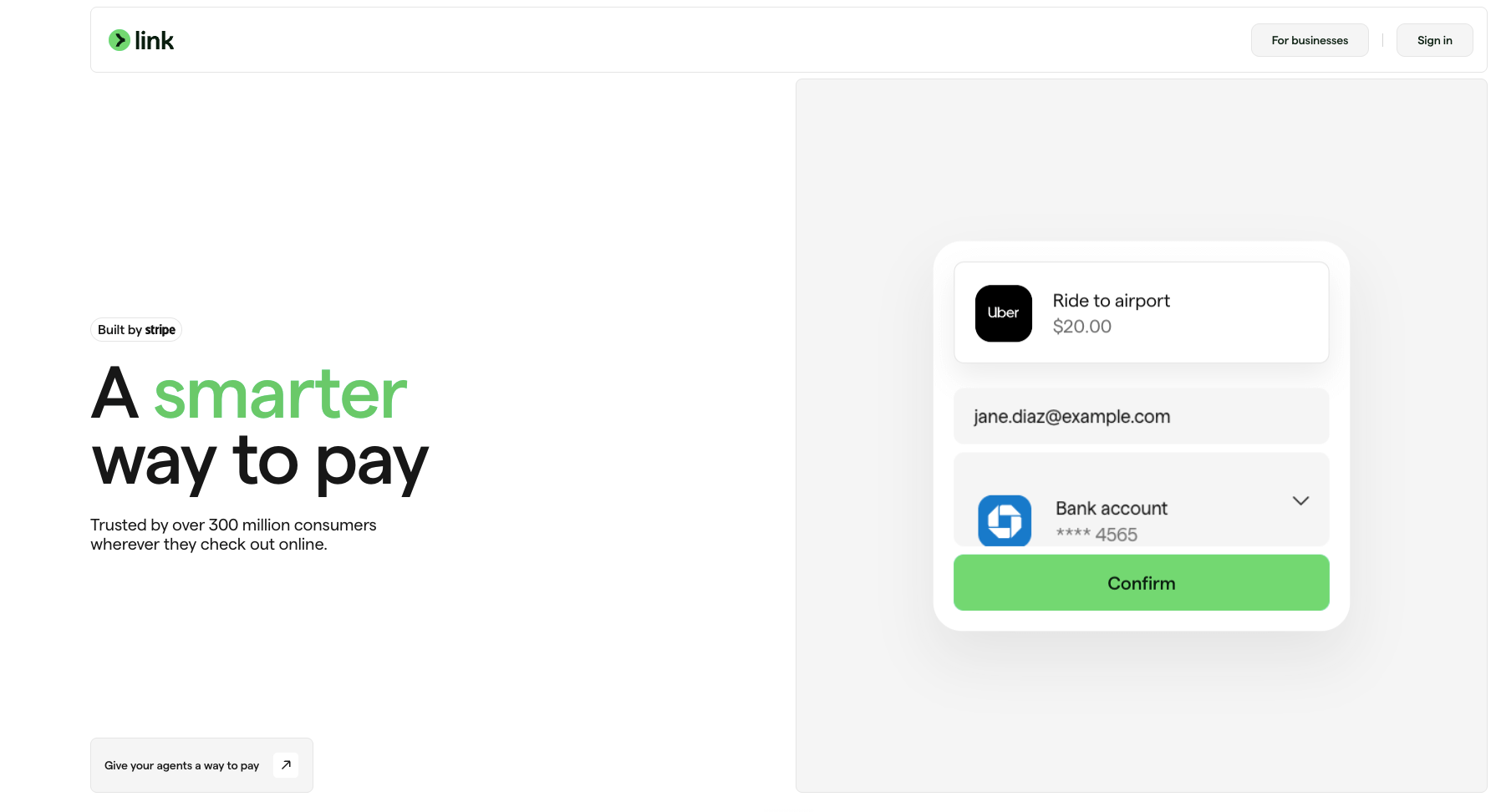
There were two options: Stripe’s MCP, or Link’s Agent Wallet. Stripe’s MCP is geared towards businesses, and Link was exactly what I needed. I created a Link account, connected the shopping assistant, and went through the setup. It took about 5 minutes. Right as it was verifying the connection and refreshing the checkout total, I hit my usage limit. Of course. Right at the finish line. I had a usage reset available, so I put more coins in the machine and continued.
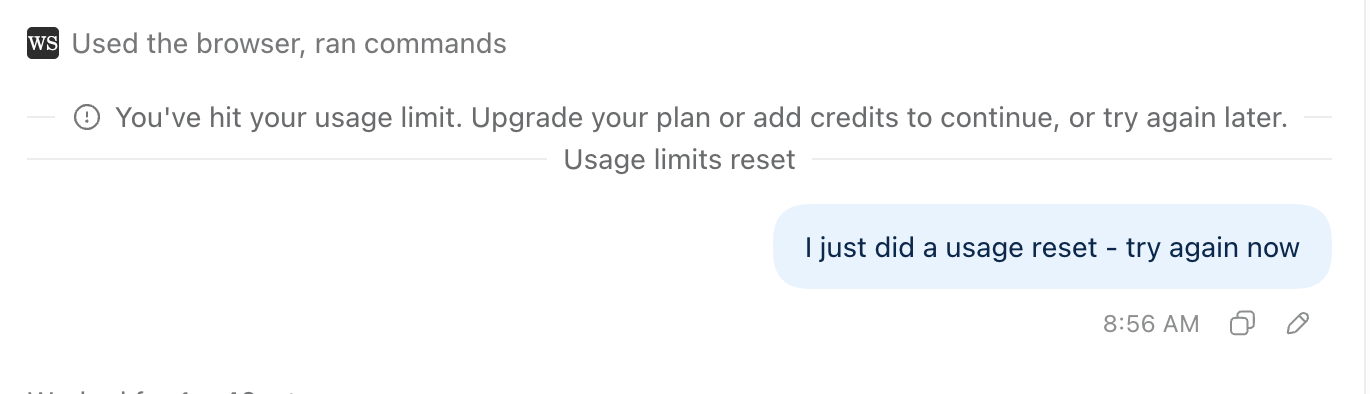
Eventually the purchase request appeared in link. The shopping assistant was requesting approval to spend $421.63 with a simple choice: approve or decline.
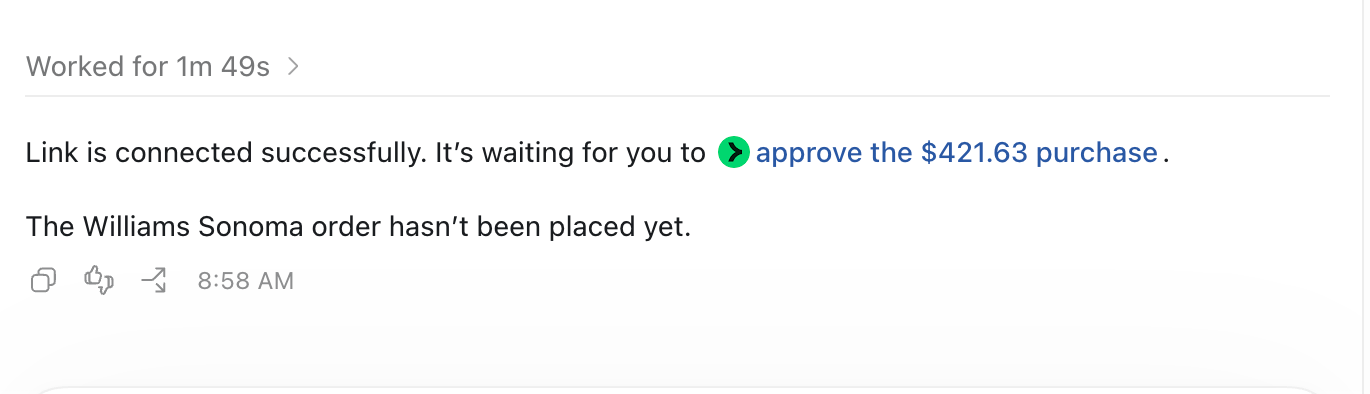
That was the experience I was trying to reach. Talk to an agent, have it do the computer work, and approve the purchase at the end. I provided the information through the conversation rather than filling out all the retailer’s forms myself. The coolest part? All of this could be done via voice too.
Where I left it: I approved the $421.63 purchase request through Link, and I hope my friend enjoys the housewarming gift.
Muse
Muse is Meta’s newest AI agent. The first thing I noticed was that I never signed up for a monthly subscription, and I couldn’t find a token limit anywhere. After hitting a limit with ChatGPT and paying $200/mo for both Grokbot and Claude, that stood out. I’m getting pretty annoyed with all the monthly subscriptions, to be honest.
For this task, Muse seemed built for exactly this. It searched across Williams Sonoma, Amazon, Zwilling, and other retailers. It looked like it might even be hunting for the best price, and I could see updates about what the agent was doing in the chat.
After trying to checkout on the Williams Sonoma site, we ran into an issue again. The website was threw an error on guest checkout, so I asked the agent to try other merchants (sorry Williams Sonoma!)
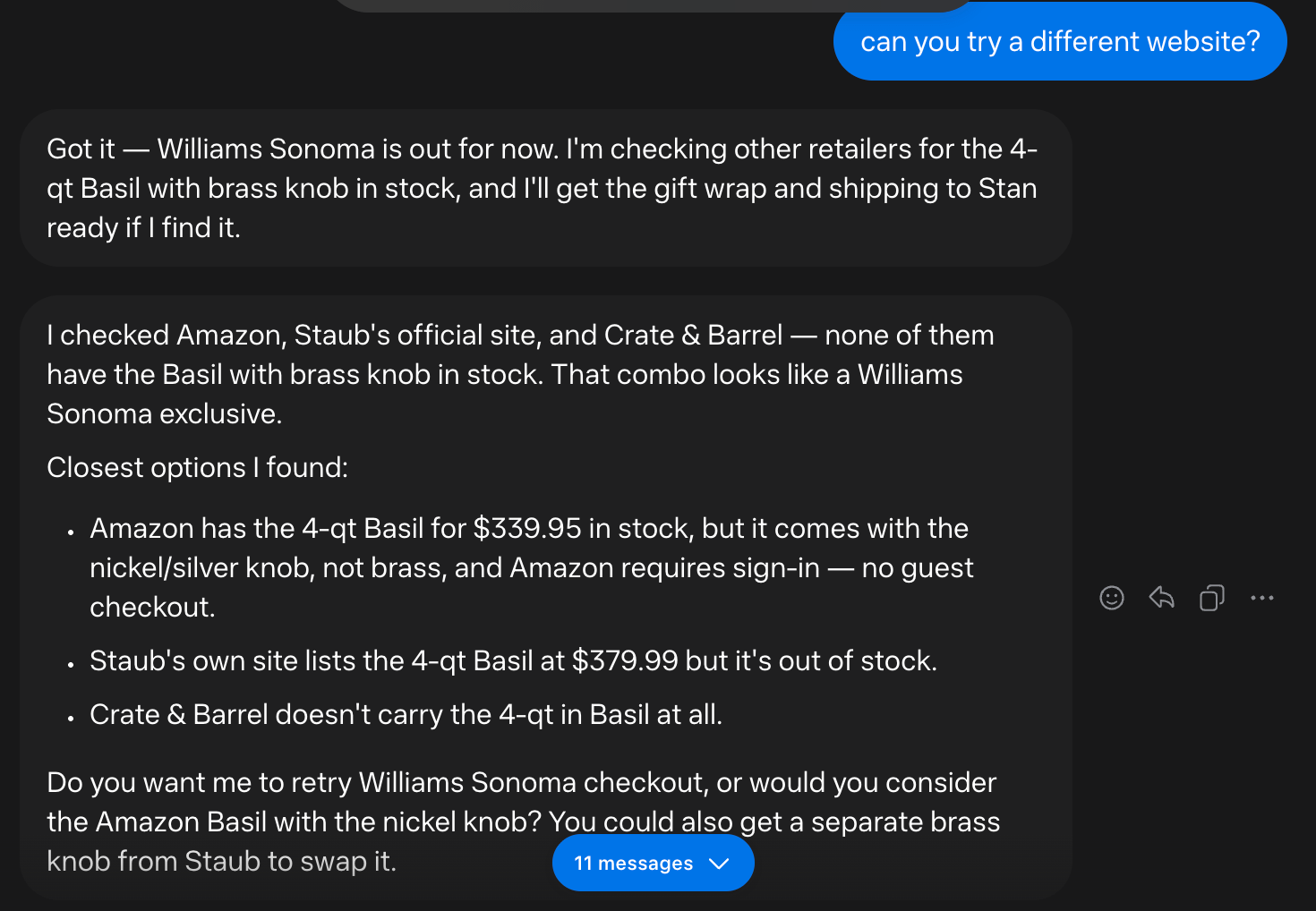
Muse found very similar products at other merchants, and for a lower price. I attempted the Amazon option, and quickly got blocked with a sign-in page. I was determined to complete this purchase without typing anything into a merchants website at all. On to the next merchant (sorry Amazon!)
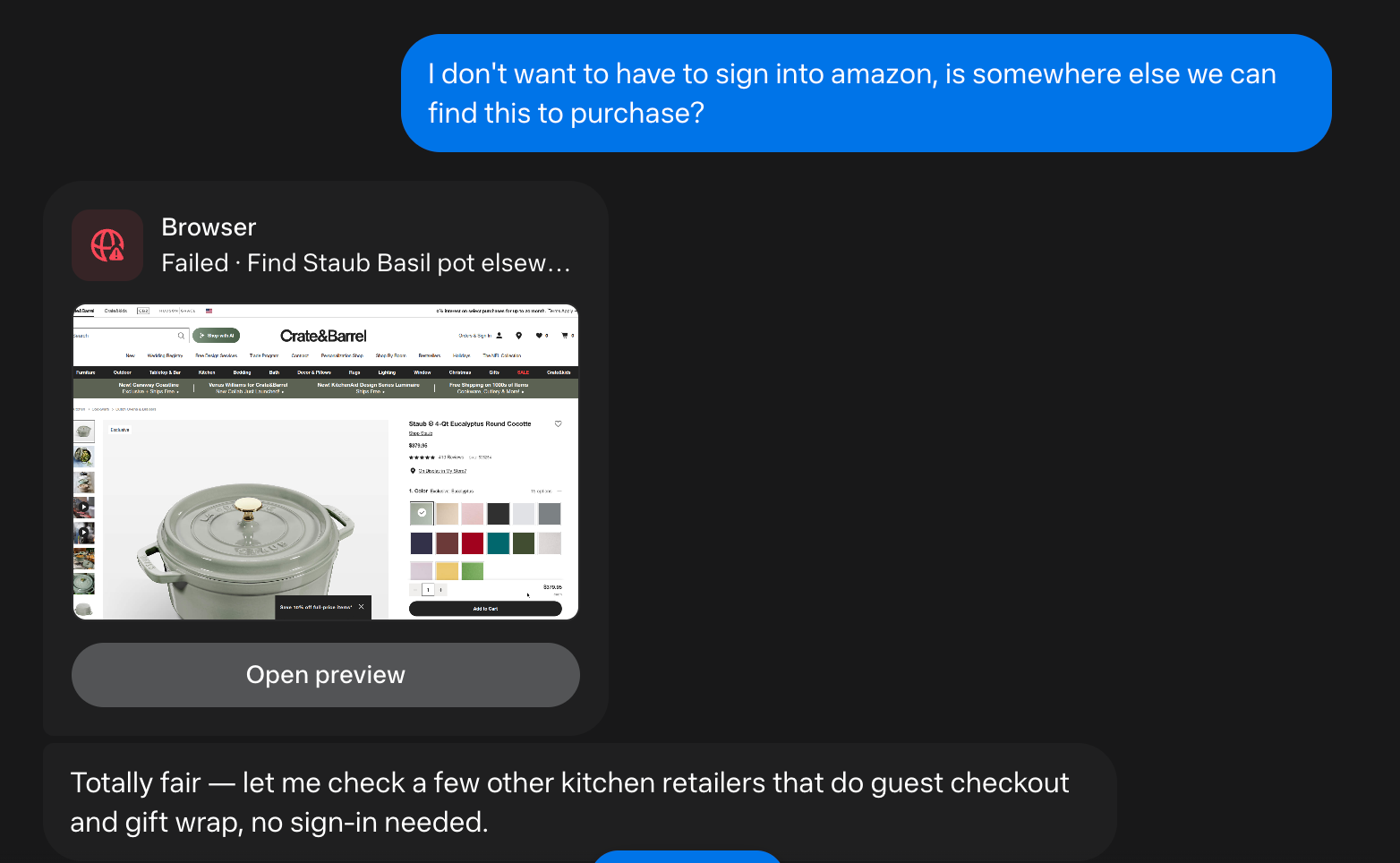
Muse got to work and came back with 5 viable options. Just for kicks, I tried a larger Dutch oven from Sur la Table.
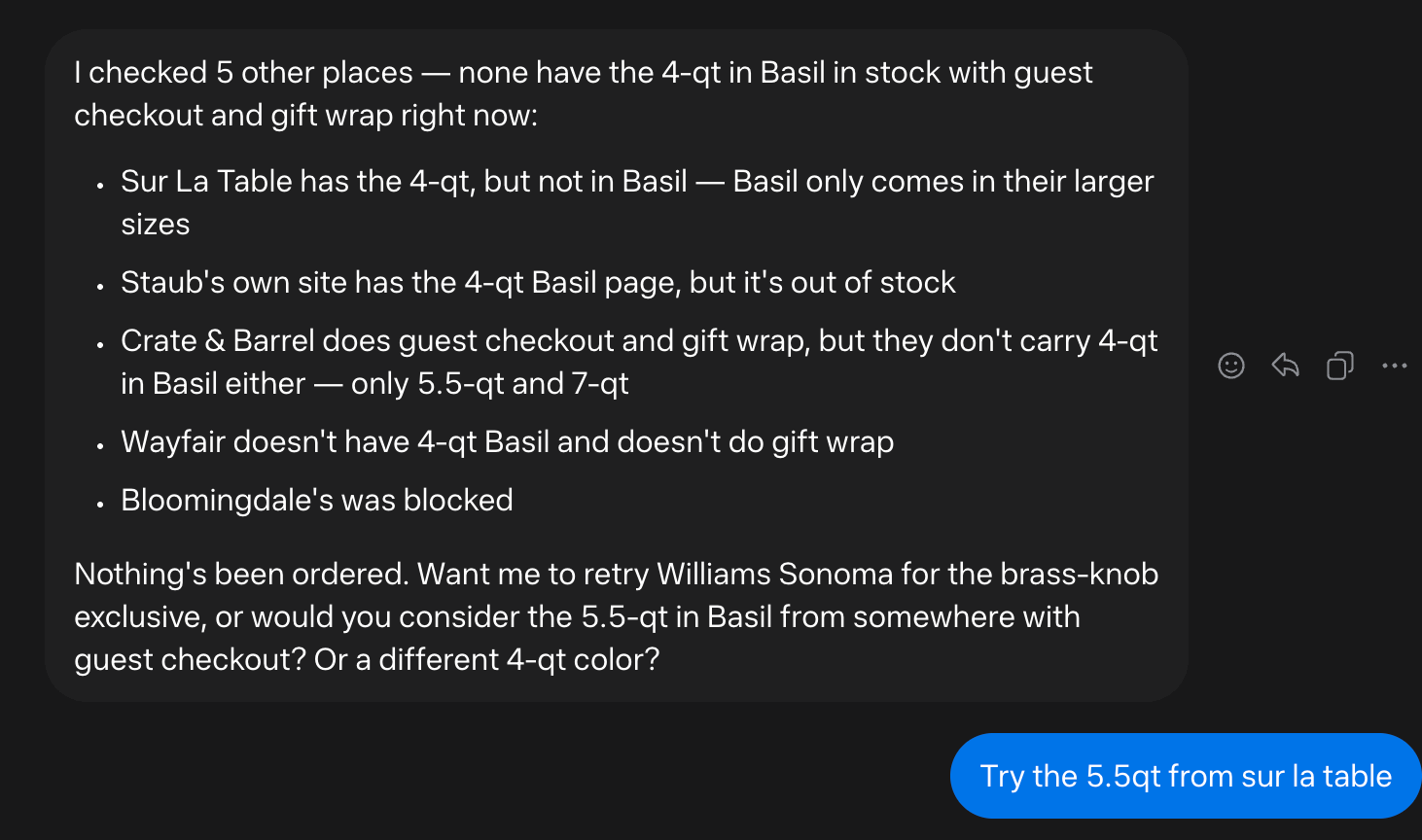
Muse got to work again, presumably at no token cost to me. Here’s the coolest part. Muse took the initiative to recommend connecting via Link, all on its own. I didn’t have to know that before hand, and it made the connection steps simple.
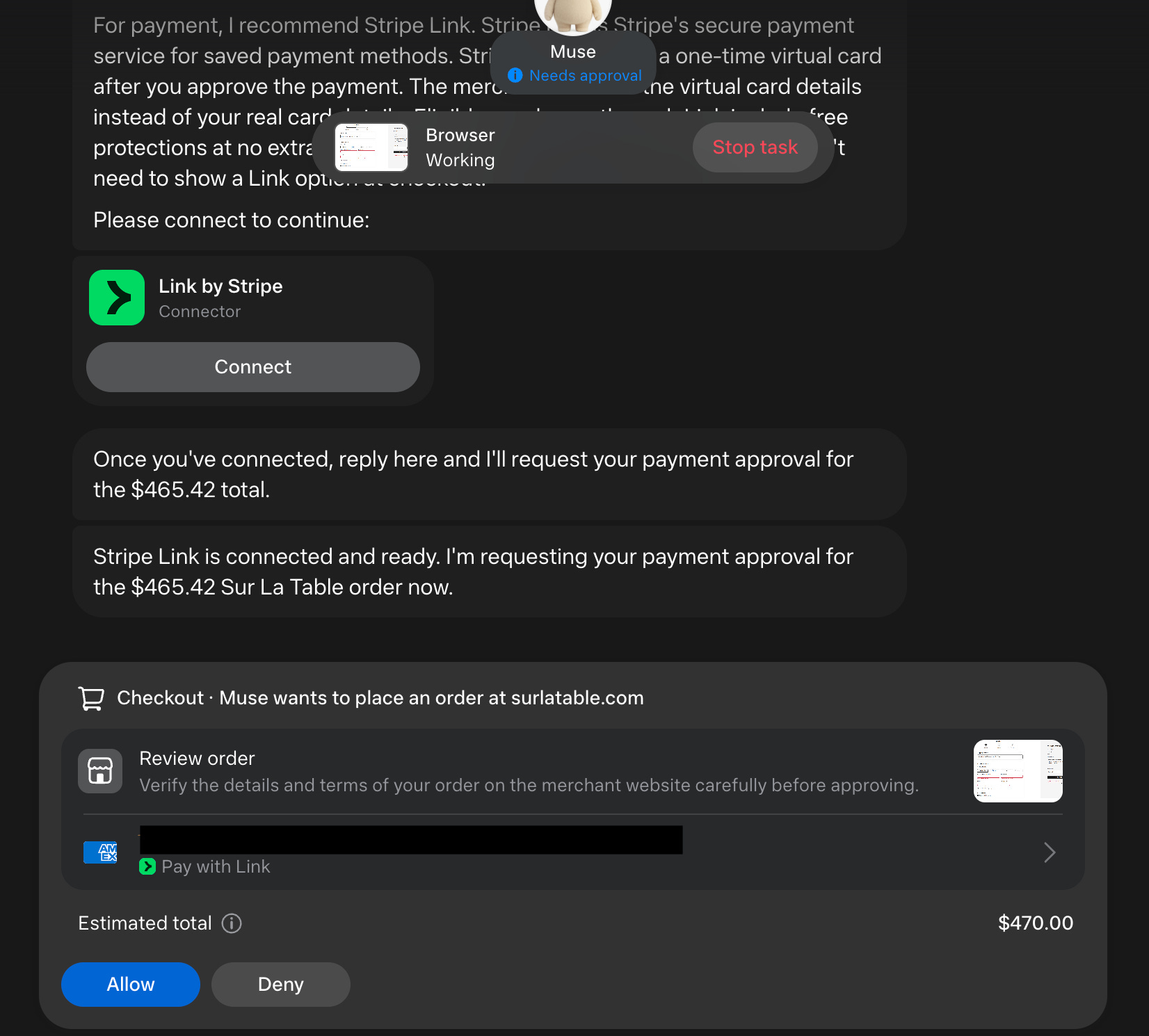
A simple choice: Allow or Deny. And the order is done. I never visited a single website. Wow.
Where I left it: Muse took me all the way to the finish line, and it seemed to work just as well as ChatGPT. It was genuinely useful in my search for a nice housewarming gift, and I wasn’t seeing token charges or a usage limit, which I found very beneficial.
What I am taking away
The part I want help with is the tedious computer work. Find the product, put it in the cart, enter the address, add the gift wrap, use the message I wrote. I want the personal to stay personal (ahem, Claude and Anthopic).
Each tool felt very different in how it me to trust it. Claude wanted me to watch and approve a lot of little steps. ChaptGPT moved more quickly, and I could still see what it was doing. Grokbot’s cloud computer sounded great until it got blocked, and then using my own computer became disruptive. Muse stood out because it seemed capable without immediately confronting me with another usage meter.
It reminds me of online banking in the early 2000’s. At first, there’s that feeling of “oh my God, my money is just a number on a screen. I didn’t go into a physical bank.” There’s a similar trust adjustment here. At first, I want to watch. Eventually, I can imagine saying, “okay, I don’t need to see any steps, just go do it and let me approve the final purchase.”
This looks like the future of commerce to me, and getting there today still means permission requests, connections, usage limits, blocked websites, and sometimes a chief of staff who just stops talking to you.
I could have bought the gift faster myself, but one of these days, this is going to be the norm.
Thanks for reading!
Sincerely,
Bryan 👋
PS - Let me know in the comments if you found this newsletter helpful. Your feedback would mean the world to me 🙏
Know someone that would benefit from this newsletter? Feel free to forward this to them.